All Aboard the Creative Team Train!

trainUnless you work with a co-author, the act of writing is indeed a solitary activity.

Selling your writing, however, is anything but. (Think book signings, audiences, store owners, readers, reviewers, friends, foes…)

And that’s a good thing, because if you were the only person involved in marketing your book, you might never want to put pen to paper (or fingers to keyboard) ever again. A one-person sales force means when sales don’t meet expectations, you’re going to have to fire yourself. Then who will you talk to during writing breaks?

Yes, your publisher will be doing some of your selling, but that can range from simply listing your book in their catalog to assigning you a short-term publicist to whatever the big publishing houses do (which I understand is much less than they used to do!). If you want to drive your sales-train – instead of just being a passenger going along for the ride – you need to be the chief engineer, reaching out to all those folks and activities I listed above.

But as engineer, you also have another job besides sales manager: you need to oversee the creative effort that goes into preparing the infrastructure upon which your promoters will depend.

You need your own creative team: a group of individual contributors who shine at what they do and share your enthusiasm for your writing projects. Yes, it’s going to cost you some money, but I’m convinced it’s worth the expense when you assemble the right team to get the sales prep done.

Here are the team members I couldn’t do without:

Website designer. A professionally designed website is essential for communicating your brand and presenting yourself as a professional author and speaker. Find the designer who ‘gets’ you, because she’ll come up with other marketing ideas for you to try. I confess, I put this one off for a long time, thinking my basic (but amateur) website was sufficient. My redesigned site offers me more ways to connect with readers, and offers readers more reasons to revisit the site.

Video producer. I’ve had two book trailers done, and I plan to do more in the future as I expand the ways I use them. Working with the same experienced producer saves time and effort – he has my stock materials on hand and a clear understanding of how I want to present my work. He also has a vested interest in my success, since his business grows from referrals.

Key local media contacts. I know the local newspaper staffs well, which means they pay attention when I send press releases. Many of them have contacts in the wider media community, as well, and they are generous with sharing information and ideas.

Social networking experts. I have the best in the business, because I subscribe to (and read) their newsletters and blogs. What I have learned from these gurus has rapidly added both depth and breadth to my social networking comprehension and usage, and their desire to help writers succeed is evident. My go-to sites are: Social Media Examiner, startawildfire.com/blog, Post Planner blog, socialmouths and Michael Hyatt.

Are you riding the train of book marketing, or are you the engineer?

All Blogged Out: A Rant (Fair Warning)

Scream--Annemarie BusschersThe other day a fellow writer from way in my past—semi-famous, author of many highly regarded books—friended me.

It was so exciting. To be remembered by someone I had admired long ago but hardly knew, someone whose books I have on my shelf.

As soon as I accepted her friendship I was invited to like her author page. Then read her blog. Which explained everything.

I don’t want to be a partypooper here about the self-promotion mandate. Really I don’t. I know that publishers these days demand that writers have author pages and blogs and followers and all that. I try to be, in fact, dutiful, in my way. But it must be said. Something about all this facebooking and author-paging and blogging just stinks.

It reminds me of how, at my university, some colleagues and I used to convene every year to plan women’s events. Multiple times, meeting upon meeting, to schedule and scheme and come up with funding and talk about decorations and cookies and such. Then, when the day came for whatever it was to happen—the reading group, the tea, the birdwatching we had so arduously planned—there we’d be again, the five of us, the only attendees.

How does one find time to write books when there’s forever a blog post due? Not to mention reading all the other writers’ blogs that I say I’m following—and that, if I were  truly friend-worthy, I would be commenting upon. Confession: the only blogs I willingly visit are the ones I land on after a Google Images search for a very specific recipe, one that looks like a dish I remember from my childhood, or some stew of lentils I’ve been fantasizing about, or some bizarrely complicated goodie I said I’d cook up for one of my ever ravenous daughters.

All this to say—am I the only one who feels this way?—that blogging, which appears to be de rigueur in the world of publishing these days, slurps up my writing time like an old dishrag, and sometimes I fear that the only ones who read what I write are fellow writers (more generous ones than I am) obliged, as I am, to squeeze it out when I should be working on my current writing project and between all the other things I do to actually support myself. (That sentence doesn’t work, I fear…) Those who follow me—I’m sure of this—do so for the same reason I follow that writer acquaintance of mine: because I was asked. I’m not going to buy any more books of hers than I’ve already bought. Having heard an interesting writer interviewed on Fresh Air, I’ve never gone to his author page or read her blog. If I’m interested enough, I ask for the book in Barnes & Noble. And when they don’t have it—they never do!—I order it for cheaper anyway on Amazon.

Here’s how it goes with buying books and me. In the ideal world that used to be, I heard about a book or picked it up from a bookstore table or shelf, I read a few pages, I bought it and brought it home, eventually it made its way to my bedside table and into the stack to wait its turn, and then, one happy day, I turned over and reached for it and started to read. In that perfect world, it is a perfect book, and I can’t stop reading till it’s finished. Then I tell my sister, off in Colorado, about the book on the phone. And in a few more days I lend my copy—though it has a swollen edge from my having accidentally let part of it sag into the bathwater—to one of my colleagues. Then I assign it in one of my classes. No blogs or author-pages or anything like that. Just hear about it, buy it, read it, lend it.

I’m not feeling very encouraging today, I’m afraid. Maybe this post will generate some useful discussion among us writer-blogger-authorpagers, though.

(Feel MUCH invited to chime in if you’re not a writer. It would cheer me immensely.)

Four Tips to Grow Your Platform–Part 1

I don’t care what you write, if you want to publish and sell books, you’re going to hear the words, “You need to grow your platform.” This is true no matter what route you take, traditional publishing or self-publishing.4 Tips to Author Platform Growth

There are numerous books, articles, websites, and programs, telling you everyone’s advice on how to do so. I’m going to tell you now, there’s no secret or quick one-time overnight trick. If someone is trying to sell you this, they’re probably trying to make a quick dollar. But there are tips and ways you can build a solid platform before, during, and after the book deal that are legit and work.

I’m going to share with you what has worked for me and ways you can do the same.

1. What do you have to offer? None of these tips will work if you don’t know what it is you have to offer people in the form of your books, blog posts, articles, podcasts, videos, and interviews. Once you know what it is you have to offer people, you can begin researching who your target audience is and how best to reach them. Need help defining your target audience and your brand? Here’s a free workbook to get you started.

2. Where and how will you offer it? You need to have a website that reflects your brand, immediately tells readers how they’ll benefit from your site, great content, social media share buttons (you’d be surprised how many sites I visit that don’t use these), and a way to capture the emails of visitors so you can stay in contact with them. Other things to offer on your website are podcasts, videos, articles, interviews, e-books, and e-courses. You don’t have to do all, but choose the ones that work for you at this time and for your audience.

3. Social media presence. You can moan and groan all you want about social media or you can choose to look at it as a chance to share your message with people who need it and can be helped by it. I guarantee you the latter response will take you farther and benefit not only you, but others. Choose which social media outlets you enjoy and your readers respond to. Don’t try to master all of them. You’ll go crazy.

Pick two until you feel confident and then analyze where to spend the rest of your time. I use my Facebook page and Pinterest the most frequently. My audience prefers these two sites. Pinterest (Using Pinterest for Writers) sends me the most traffic, but I get more reader conversation and interaction on Facebook (Using Facebook for Writers). Some folks love Twitter, Google+, LinkedIn, or the new social site to watch, Instagram.

The main thing to remember about social media is to share relevant content with your audience. Everything you share should benefit them in some way or another.

4. Join or create a blogging network or group. Find a group of bloggers (or contact and start your own) who write similar or complementary content to your own. Agree to share each other’s content on your social media pages. This gives you great content to share with your readers and gets your work in front of other readers who want what you have to give or say. You can also work with these people to brainstorm new projects or marketing endeavors. This has helped my own platform take off. Plus, I get the added benefit of advice from people who have been there and offer support when needed, because at some point, we all need it.

Here are some of the most helpful books I’ve read regarding growing your platform and marketing:

Platform by Michael Hyatt
Sell Your Book Like Wildfire by Rob Eager
Pinterest Savvy by Melissa Taylor

What has helped you grow your platform? Where do you need help? What books have helped you the most with marketing and platform growth?

Goodreads for Writers (Build a Social Media Platform)

Goodreads for writersDo you daydream about a massive virtual library where lovers of books rub shoulders and authors receive free privileges and promotional opportunities? Well, dream no more. Such a site exists. Surprisingly, many writers ignore Goodreads.

A basic membership affords even unpublished writers the opportunity to include a photo and profile information, make friends with readers and other writers, share book recommendations and reviews, create their own virtual bookshelves. and join groups and forums (including groups of readers who love books in their genres).

Published authors can add the following privileges:

Author Page

It’s likely you will find your book by title in the site’s database. If you don’t find it, it’s not too difficult to add it using the “Find Books” tab. Once you locate your book, you will find a link that asks whether you’re the writer of the book. Click that and follow instructions to set up your Author Page.

Bio

On your author page, you can include a biography and list your books, link to your website and blog, indicate your genre(s), and upload a picture. Take pains with this information, since visitors to your page will notice it before they scroll down to read anything else.

Blog

You can blog right in Goodreads or automatically feed updates from external blogs to your page and into the news feeds of your friends and fans. The whole post won’t appear, but just the first few paragraphs with a link to your blog site. This is one way to lead readers back to your website and expose them to purchase information for your book.

Events

You can list events like your release date, blog tour stops, or book signing schedule to keep your friends and fans informed.

Videos

Set book videos, author interviews, book readings, or other promotional videos from YouTube or another online video service to display right on your Author Page.

Writing Samples

If you have an author page, you can include samples of your writing and reviews of your books for others to read. 

Quotes

You can share favorite quotes from books you love, including your own! Give readers a taste of your writing and they may just purchase your book and keep on reading.

Fans

Your Author Page includes a place where readers can sign up to be your fans. You will then appear in the “Favorite Authors” section of their profiles and they will receive updates from your Author Page. 

Status Updates

Goodreads has a status update box that allows you 240 characters to comment on topics of your choice. Your update will show up in the newsfeeds of your friends and fans. Starting a discussion about an author who writes books similar to yours is a great way to engage with readers who might also enjoy your books. The update box is a little difficult to find. In the top menu bar, click “home,” and then look in the right sidebar for the text link entitled “general update” under the “what are you reading” header. Click the link and an update box should appear. 

Groups and Forums

Join reader groups and enter into their discussions to connect with readers within your genre. Remember, though, not to push your books. Engage readers by joining in the discussions at hand and they may click on your name link to go to your Author Page and find out all about you and your books.

Giveaways

If it’s still within six-months after your book’s release date, you can set up a giveaway of your book through the “First Reads” program. This gives you the opportunity to put a brief synopsis in front of those who participate.

Special Strategies

The way Goodreads is set up yields intelligence data for authors. For instance, you can find a book similar to your own, click on its title, and learn which of your friends and fans have read it. You can search for a similar book and find active discussions about it in reader groups.

Homework

If you don’t have a Goodreads account, sign up for one, upload a photo and fill out your profile information. If you are a published author, apply for your author page and schedule some time to set it up.

I’ve touched on some of the strategies available to writers who use Goodreads. Do you have more ideas? How do you use Goodreads?

Google Plus for Writers (Build a Social Media Platform)

Google Plus LogoGoogle+ offers unique benefits for writers wise enough to take advantage of them. Why do we need another social site when there’s already Facebook, LinkedIn, and Twitter? While these social sites are great networking tools, they don’t have all the capabilities of Google+.

Another consideration is cost. Only a fraction of those who sign up to receive your Facebook updates are allowed to see them. Facebook will extend your reach, but at a cost. Google+ lets you contact those in your circles free of charge.

Google+ is growing but has not yet reached its full potential.

Google+ has overtaken Twitter as the 2nd most popular social network in the US, according to a March 2013 Survey by Burst Media.”   | Jun 03, 2013 REPORT: Google+ Overtakes Twitter as 2nd Most Popular Social Network in US

More men than women were on Google+ at the outset, but more men tend to become early adopters. The gender stats are leveling out, according to D Erickson (JUNE 7, 2013) in Top Social Networks By Gender, March 2013 [TABLE] for e-Strategy Trends. It’s not too late to get in on the rise of Google+ to build your author social media platform. 

Interest communities can help you find readers.

One of the things that Google+ does best is to connect people with similar interests. An author. You can search for groups, start a group, and manage your groups

Increase your discoverability.

Updates you make to Google+ rank well in Google’s search engine. This puts your updates higher in results for relevant search terms. This can make you as an author more visible to readers.

Create videos, host author chats and network through Google hangouts.

Up to ten people can connect through hangouts. Through its Hangouts on Air capabilities, Google+ gives authors a free and easy way to broadcast live. Better yet, it then can automatically update your Google+ home page and YouTube account. You can also embed your videos on your website or blog. Best of all, you don’t need technical skills to get in on this. Learn more about Google Hangouts on Air.

Lets you sign up for Google Authorship.

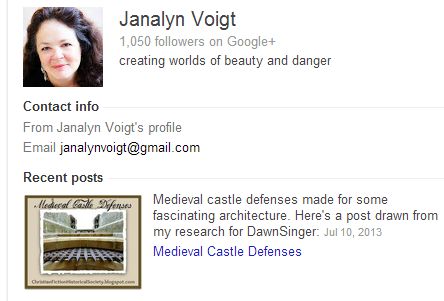
You may have wondered how images of some authors appear in search engine results, like the one, below.

About Janalyn Voigt

Your image, tagline, and most recent update will appear in the sidebar for searches of your name. This can be an important advantage if you have a popular name. The fact that Google shows my follower count helps my credibility.

Janalyn Voigt's Google author bio

To learn more about the advantages of Google Authorship, read 10 Reasons Writers Should Claim Their Google Authorship Markup by  for Copyblogger.

Don’t make the mistake of overlooking Google Plus in building your social media platform.

The 15-Minute Writer: Taming the Social Media Monster

file0002062790027 This is part five of a series. Read parts 1-4 here.

Ever wonder how top authors (especially those with families) do it all–write, read, speak, tweet, pin, travel, correspond and more? I’ve got a hunch that they choose what they’re best at, and hire talented people to do the rest.

There are simply not enough hours in the day to do it all. In addition, since new social media platforms pop up regularly, it’s easy to get overwhelmed.

Over the past few years as a writer-mom, I’ve made more than a few mistakes, but I’ve also learned to prayerfully make (sometimes tough) choices. With God’s help, I’m taming the social media monster–instead of letting it wreck my schedule and family life.

  • First, I regularly revisit my priorities. As seasons of life change, so do my family’s needs and schedule. When my children were small, I wrote during Mother’s Day Out and nap times. Now, I write, research, and update my blog and Twitter or Instagram accounts during their school hours and activities. I try to be available to them after dinner and while they’re doing homework, keeping certain times free of online distraction. So far, it’s working well for us.     OLYMPUS DIGITAL CAMERA
  • Second,realize where I’m strong–and weak. I began blogging in 2004, and last year, I admitted to myself that I’m simply burned out. Bleh. Meh. Etcetera. However, giving myself permission to blog less often, and do other things I enjoy more (keeping an active Facebook and Pinterest presence, for instance) has helped my attitude about online promotion. I also love my work as an editor at an online magazine, and the curating I do for The High Calling helps me build my own platform. Score!
  • Third, I recognize my addictive tendencies. Recently, I discovered that with a few handy-dandy apps on my Iphone, I could tweet, chirp and pin while waiting for doctor’s appointments, eating by myself at fast food restaurants, and even in bed. The only problem? I had used those times previously to read, daydream or think. No down-time for Dena makes her a grumpy girl–and a boring writer. So, I decided to delete the apps. I already feel more peaceful and balanced.
  • Fourth, I reign in my expectations. Someday, when the kids are grown, I will have more quiet/alone time. (Please, God?) And I don’t want to have a ton of regrets later in life. This creative, crazy family is where the Lord has placed me. He has also chosen to give me wonderful writing opportunities. Such a precarious balancing act means I can’t pursue every single marketing or promotion lead that comes my way. I won’t be able to accept every speaking engagement I’m offered. And I can’t attend every platform-enhancing conference that looks interesting. This both helps and hinders our family financially, but God has always honored my commitment by providing everything we need (and most of what we want). As my dad told me many times, “Honor God, and He’ll honor you.”

Hopefully, my experiences will encourage you in your own efforts to mollify the online marketing beast. What are YOUR tips for handling this potential monster?

Cha-cha-changes…

A lot of changes in social media this week….
Sit down, buckle up and hold on for the ride….

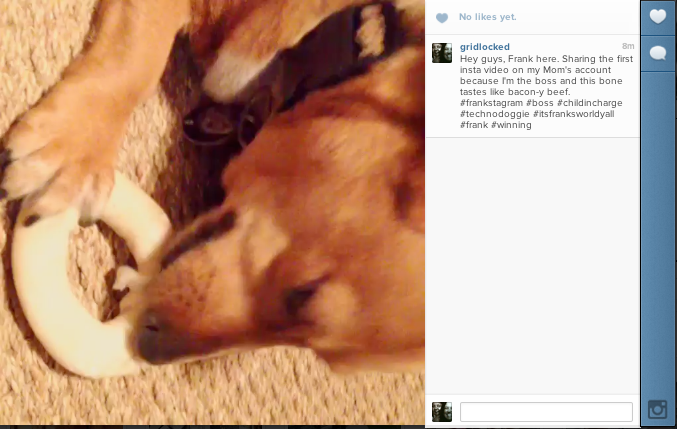
Instagram has now updated its application to include videos.
Everyone can see them, but if you have an older Android phone, you will have to wait to be able to join in the fun. This could be interesting to the future of Vine. You get to choose a filter and make your video a bit more interesting then just a regular video. The maximum time is 10 seconds for one of these gems.
Check out Frank's Instagram video here... http://instagram.com/p/azfDD4OxC9/
Check out Frank’s Instagram video here…
http://instagram.com/p/azfDD4OxC9/

It can be hard to follow the updates with so many changes in social media happening so often, so where is the best place to find info on these updates?

For updates on Instagram, I read their blog. http://blog.instagram.com/ . It’s super informative and they have great information. Also make sure you are following Instagram on your account. http://instagram.com/instagram . And one more place you can check is http://instagram.com/press/. This is all their press releases and information. Instagram (in my humble opinion) is the best creative social media outlet, and so fresh for marketing ideas.

Summertime Social Media.

New to Facebook this week is #hashtags. Facebook has borrowed, or maybe stolen, Twitter’s business model with hashtags and video clips. Still confused about them? You can go back and read my blog on hash tags here… Hashtags are a VALUABLE tool for advertising and marking things that people can easily find. You can now search things on Facebook with hashtags. This will help you market and find like minded people. Its a great tool. Your Instagram videos can also be shared on Facebook as well.
Hope you are all having a great summer… and now as you document it on Facebook, you can hashtag it all and upload videos of your activities on Instagram…. (he he he!).
__________________________
Follow Ingrid on Instagram and Twitter!
Ingrid on Instagram. www.instagram.com/gridlocked

Ingrid Schneider is WordServe’s resident Marketing Maven. With a specialty in social media, Ingrid loves helping authors find and manage an online tribe of readers. After spending the last 15 years managing and marketing restaurants, people, and businesses, Ingrid knew that helping people market themselves via social media and online platforms was a passion and something at which she excelled. Now doing social media marketing for some great-named authors, Ingrid also loves to imagine that she is a secret agent, because she can’t disclose

with whom she is working. (Believe us when we tell you that Ingrid handles some big names, but for anonymity’s sake, we can’t disclose this TOP SECRET information.) Imagination and creativity is something Ingrid is serious about and loves to incorporate into her work with her clients.

LinkedIn for Writers (Build a Social Media Platform)

Linked In for Writers via @janalynvoigt for Wordserve Water Cooler
This is a pin-friendly image!

When deciding where to focus online, most writers veer toward Facebook, Twitter, and Pinterest. Developing a presence at those sites can be a great idea. However, with 250 million users worldwide, LinkedIn carries a clout all its own. Chances are you think of LinkedIn as a network for job seekers, and while it does function in that capacity, it offers other benefits to writers.

Reach Readers

Although LinkedIn’s focus is business-to-business, don’t discount it as an avenue to reach readers. I personally experienced a spike in book sales after putting the word out on LinkedIn about DawnSinger (Tales of Faeraven 1). The link I posted had a lot of shares, which means my network kicked in to help. As members of my network shared my update to their networks, they increased its impact exponentially, creating additional exposure for my book. This is social networking at its best. Just remember that giving more than you receive will help you tap its power. (It’s also a great way to live.)

Extend Your Network

LinkedIn allows you to introduce yourself to those in the networks of your network. This can be a powerful tool for growing your sphere of influence. Be careful about approaching agents and editors this way, though. It’s best to send them a contact request after an in-person meeting.

Give and Receive Endorsements

LinkedIn lets you easily endorse people you respect for their professional skills. This also means that others can do the same for you. While you can request that others endorse you, use this tool wisely. If people don’t know you or your work, don’t send them an endorsement request.

Discover Who Views Your Profile

It’s fun to click a sidebar link and discover who has recently visited your profile. While those who upgrade to a professional account receive more information, even those who use a free plan can see a few names. As an example, recent visitors to the LinkedIn profile for Janalyn Voigt included a librarian, another author and speaker, a digital publisher, a barbershop manager, and a Los Angeles-based writer and editor. In the past I’ve also caught a film producer and agent checking out my profile. These people can represent contacts you may want to follow up with.

Link Your Blog

LinkedIn’s blog link tool enables you to feed your blog to your LinkedIn profile. This helps you brand while giving your blog additional reach.

Automatically Update from Twitter

Feed your Twitter updates to LinkedIn. Go to settings to enable this feature.

Conduct Polls

Use the LinkedIn polls application to gain insights that can help you determine what to write, how to promote, and where to find your target audience. You can integrate your LinkedIn polls to Facebook or Twitter and also embed them in your website.

Improve Your Website’s SEO

Be sure to include a link to your website and/or blog in your profile. Garnering links back to your blog from high-authority sites helps raise its visibility in search engines. A good search-engine ranking means that when people search the internet for keywords within your topic, your site shows as close as possible to the first page of their results. This is known as search engine optimization, or SEO.

Focus on Business

One of my author friends centers his online social networking at LinkedIn more than at other sites. When I asked him why he prefers LinkedIn, he answered that it’s all business. Since he’s had to break himself of an online gaming habit, this makes sense for him. LinkedIn’s business focus extends even further than not featuring games, and that’s good news for writers in a lot of ways. On LinkedIn you don’t “friend” or “follow” people, you add them into your network. Having an established network means that you can connect on a strictly-business level with (to name a few) publishing professionals (such as agents and editors), experts in fields you need to research, technical experts who design websites or make book trailers, and other authors willing to cross-promote.

Join Relevant Groups

LinkedIn is another place to connect with others on topics of interest to your author brand. You can also participate in groups of writers to talk shop. As an example, I’ve used LinkedIn groups to compare notes with other writers in an effort to discover where to focus promotional efforts. A simple search on LinkedIn will turn up groups to consider joining. If you’re new at writing, you may want to check out a post that gives details on 20 sites of interest to aspiring authors.

Follow Publishing Houses and Agencies

Use the follow companies LinkedIn feature to keep tabs on publishing houses and agencies. As a bonus, you can see how you are connected to these companies, which can give you contact leads.

How to Proceed with LinkedIn

Start by creating a free account, and then fill in your profile completely, using targeted keywords (see the section, above, on improving website SEO). Once you’ve done this, send invitations to connect with all your contacts and concentrate on growing your network in the ways mentioned throughout this post. I’m sure you’ll agree that LinkedIn is a powerhouse for writers.

Should You Be On Pinterest? (Building a Social Media Platform)

Pinterest

The trouble with being a writer is that you have to write. That would seem desirable, but the writing I’m talking about goes beyond pounding out the next scene in my novel. Since becoming a published novelist, I’ve submitted–at the request of agents, editors, bloggers, and marketing personnel–guest posts, interview responses, pitch sentences, two-sentence blurbs, query letters, proposals, sample chapters, material to use for promotion, back-cover copy, tag lines, book club questions, and of course myriad versions of my biography. Add to this the need to devise creative updates for social networks, and you begin to see why a writer might groan.

Enter Pinterest, a social media platform that allows members to network with pictures more than words. Tweet This! I love writing and (go figure) even have a fondness for words, but I find Pinterest a breath of fresh air. As a virtual bulletin board where users pin images, Pinterest frees me to express my creativity without having to hurt my brain with so much thinking. Since women primarily frequent Pinterest, spending more time on it than on other networks, it provides another benefit. Book buyers are predominantly female. (This varies by genre.)

With 4 million active daily visitors and as the fastest-growing social media site (now second only to Facebook), Pinterest is a site many writers should include in their social media platforms. Tweet This! Since I began to take Pinterest seriously, it’s moved to the number one referrer of traffic to my websites.

I won’t go into detail on how to sign up, since Pinterest makes it easy. If you want advice, visit the Pinterest Help Center and enter “how to sign up” in the search box. I suggest you set up or convert to a Pinterest business account. This will allow you access to account analytics once you verify your website for Pinterest.

Be sure and include your author picture in your profile. Also set up a branded bio. This is a little challenging since you should make it brief so it will be read. Every word needs to pull its weight. To see an example, visit the Pinterest page for Janalyn Voigt. While you’re there, take a look at my boards to help inspire your own.

Pinterest Goodies

After you’ve created your account, filled in your profile information, and verified your website, you should visit Pinterest’s Goodies page. There you’ll find instructions on how to:

  • install the Pin It button (for Google Chrome) to your bookmark bar.
  • drag the Pinterest Bookmarklet to your toolbar (click the red link under the Pin It button copy in the sentence that says: “Looking for the Pinterest Bookmarklet?”).
  • add a Pin It button to your site.
  • make a widget for your site.

Creating Your Boards:

On your profile page, you’ll be able to create boards. Here are some suggestions:

  • Name a board for your blog or website.
  • Create a board with the title of your book(s).
  • Name a board for the genre(s) you write.
  • Think up boards that will reinforce your brand.
  • Design boards to attract your target audience.

Pin Three Ways

  1. Click the Pinterest bookmarklet while at a website that grants permission to pin its images and select the image you want to pin.
  2. Under your image in the Pinterest toolbar you’ll find a dropdown menu. Click “Add Pin” to upload an image from your computer or enter the URL of a picture you have permission to pin.
  3. Use the Pin It button on a website.

What to Pin

  • Pin your own original images with a link back to your site.
  • Pin images from sites that state they allow pinning to Pinterest.
  • Pin public-domain images.
  • Create and pin your own collages using sites like PicMonkey.com and your own images.

What to Do on Pinterest

  • Follow other people. You can choose to follow all boards or an individual board. As with all effective social networking, be sincere. Tweet This! When you make the effort to follow people, some will follow you back.
  • Repin from boards of people you trust. Always verify that the link goes where the image indicates it will and that the original site gave permission to pin.
  • Like pins others post. This brings you to their attention.
  • Comment on pins. To comment, click on a pin and the comment box will be in the enlarged image that displays.

Pinterest and Copyright

First, I am not a lawyer and don’t mean the following in any way as legal advice, but here is how I handle myself on Pinterest. I’m careful when pinning images that I don’t own to make sure the website gives explicit permission to pin to Pinterest in its copyright policy. I don’t take the existence of a Pin It button as permission. I’m aware that even if I own a photo, some things like private works of art or images of people who have not signed a release for me to post their photos, for example, are off limits. I prefer to take my own photographs and create my own infographics. When in doubt, I don’t pin.

Pinterest is a relatively painless way to network that is actually a lot of fun. Tweet This! It can help you keep track of research while simultaneously drawing readers to your books.

EXCLUSIVE LIMITED OFFER FOR READERS OF WORDSERVE WATER COOLER

Solving the Pinterest Puzzle for Sidebar

Learn more about using Pinterest to build your social media platform and readership. Sign up for Solving the Pinterest Puzzle course that fellow Wordserve author Melissa K. Norris and I offer as TriLink Social Media Mentors, a bargain at just $27.77.

Related Posts

Build a Social Media Platform: The First Step May Surprise You

4 Pillars to Build an Effective Social Media Platform

Build a Social Media Platform: Your Facebook Page

To Tweet or Not to Tweet (The Social Media Platform Question)

Tweetables

Lately, I’ve been noticing this new trick amongst bloggers for fashioning “tweetables” in their blog posts. These are short, catchy phrases that let readers instantaneously click and tweet a hook about your post. Several tweetables are offered in hopes of getting that mouse clicker finger engaged.

Social media conceptSo I thought I’d go through the process of learning how to format one and take you on the ride with me. A shout out to Elaine Stocks for pointing me in the right direction. Check out this blog post at Blogging Bistro for instructions as well. I am hoping to simplify. We’ll see how that works.

Step 1: Go to http://clicktotweet.com/. Once you go there, format a phrase you want others to tweet about. It will generate a link for you, which you can add to your post. Here the first one I did.

Learn How to Format a Tweetable. Click to Tweet.

Step 2: Hit the preview button.
You can then click preview to see how it looks. And mine looks, well,  boring. It’s just the phrase and doesn’t point much to me or the Water Cooler. Let’s try again.

Know how to format a Tweetable? Not as hard as you might think. Click to Tweet.

This is how it will look when tweeted out:

Know how to format a Tweetable? Not as hard as you might think. @JordynRedwood @WordServeLit http://wp.me/p1H9QL-2zH

Step 3: Helpful tips.
Remember, with Twitter you only have 140 characters to work with. In WordPress you can automatically have it give you a shortlink for your post by hitting the button “Get Shortlink” at the top of your editing screen. When you do this, copy and paste that link into your Tweetable. It will save you precious character space to come up with a great Tweet.

However, Blogger doesn’t format shortlinks, though you can customize one for yourself. Blogger will give you a permalink (finally!) and what you can do to shorten it is copy and paste it into the publisher in Hootsuite. It really is not as hard as you might think. From the shortened Hootsuite link you can copy and paste it into the Click to Tweet format system.

Step 4: Format it into your post.

I agree with Blogging Bistro that Rachelle Gardner has a great way to format Tweetables and I’ve copied that style here. You can view her blog for that look or come up with your own crafty, creative way to entice people to tweet.

Why format tweetables? A couple of reasons. When you hit the tweet button at the bottom of a post using the social media sharing buttons, it basically tweets the title of your post which may or may not catch the eye of readers. Tweetables offer several different phrasings to try to get people to tweet that may be a way for them to capture their tribe.

What about you? Have you tried tweetables?