Goodreads for Writers (Build a Social Media Platform)

Goodreads for writersDo you daydream about a massive virtual library where lovers of books rub shoulders and authors receive free privileges and promotional opportunities? Well, dream no more. Such a site exists. Surprisingly, many writers ignore Goodreads.

A basic membership affords even unpublished writers the opportunity to include a photo and profile information, make friends with readers and other writers, share book recommendations and reviews, create their own virtual bookshelves. and join groups and forums (including groups of readers who love books in their genres).

Published authors can add the following privileges:

Author Page

It’s likely you will find your book by title in the site’s database. If you don’t find it, it’s not too difficult to add it using the “Find Books” tab. Once you locate your book, you will find a link that asks whether you’re the writer of the book. Click that and follow instructions to set up your Author Page.

Bio

On your author page, you can include a biography and list your books, link to your website and blog, indicate your genre(s), and upload a picture. Take pains with this information, since visitors to your page will notice it before they scroll down to read anything else.

Blog

You can blog right in Goodreads or automatically feed updates from external blogs to your page and into the news feeds of your friends and fans. The whole post won’t appear, but just the first few paragraphs with a link to your blog site. This is one way to lead readers back to your website and expose them to purchase information for your book.

Events

You can list events like your release date, blog tour stops, or book signing schedule to keep your friends and fans informed.

Videos

Set book videos, author interviews, book readings, or other promotional videos from YouTube or another online video service to display right on your Author Page.

Writing Samples

If you have an author page, you can include samples of your writing and reviews of your books for others to read. 

Quotes

You can share favorite quotes from books you love, including your own! Give readers a taste of your writing and they may just purchase your book and keep on reading.

Fans

Your Author Page includes a place where readers can sign up to be your fans. You will then appear in the “Favorite Authors” section of their profiles and they will receive updates from your Author Page. 

Status Updates

Goodreads has a status update box that allows you 240 characters to comment on topics of your choice. Your update will show up in the newsfeeds of your friends and fans. Starting a discussion about an author who writes books similar to yours is a great way to engage with readers who might also enjoy your books. The update box is a little difficult to find. In the top menu bar, click “home,” and then look in the right sidebar for the text link entitled “general update” under the “what are you reading” header. Click the link and an update box should appear. 

Groups and Forums

Join reader groups and enter into their discussions to connect with readers within your genre. Remember, though, not to push your books. Engage readers by joining in the discussions at hand and they may click on your name link to go to your Author Page and find out all about you and your books.

Giveaways

If it’s still within six-months after your book’s release date, you can set up a giveaway of your book through the “First Reads” program. This gives you the opportunity to put a brief synopsis in front of those who participate.

Special Strategies

The way Goodreads is set up yields intelligence data for authors. For instance, you can find a book similar to your own, click on its title, and learn which of your friends and fans have read it. You can search for a similar book and find active discussions about it in reader groups.

Homework

If you don’t have a Goodreads account, sign up for one, upload a photo and fill out your profile information. If you are a published author, apply for your author page and schedule some time to set it up.

I’ve touched on some of the strategies available to writers who use Goodreads. Do you have more ideas? How do you use Goodreads?


Google Plus for Writers (Build a Social Media Platform)

Google Plus LogoGoogle+ offers unique benefits for writers wise enough to take advantage of them. Why do we need another social site when there’s already Facebook, LinkedIn, and Twitter? While these social sites are great networking tools, they don’t have all the capabilities of Google+.

Another consideration is cost. Only a fraction of those who sign up to receive your Facebook updates are allowed to see them. Facebook will extend your reach, but at a cost. Google+ lets you contact those in your circles free of charge.

Google+ is growing but has not yet reached its full potential.

Google+ has overtaken Twitter as the 2nd most popular social network in the US, according to a March 2013 Survey by Burst Media.”   | Jun 03, 2013 REPORT: Google+ Overtakes Twitter as 2nd Most Popular Social Network in US

More men than women were on Google+ at the outset, but more men tend to become early adopters. The gender stats are leveling out, according to D Erickson (JUNE 7, 2013) in Top Social Networks By Gender, March 2013 [TABLE] for e-Strategy Trends. It’s not too late to get in on the rise of Google+ to build your author social media platform. 

Interest communities can help you find readers.

One of the things that Google+ does best is to connect people with similar interests. An author. You can search for groups, start a group, and manage your groups

Increase your discoverability.

Updates you make to Google+ rank well in Google’s search engine. This puts your updates higher in results for relevant search terms. This can make you as an author more visible to readers.

Create videos, host author chats and network through Google hangouts.

Up to ten people can connect through hangouts. Through its Hangouts on Air capabilities, Google+ gives authors a free and easy way to broadcast live. Better yet, it then can automatically update your Google+ home page and YouTube account. You can also embed your videos on your website or blog. Best of all, you don’t need technical skills to get in on this. Learn more about Google Hangouts on Air.

Lets you sign up for Google Authorship.

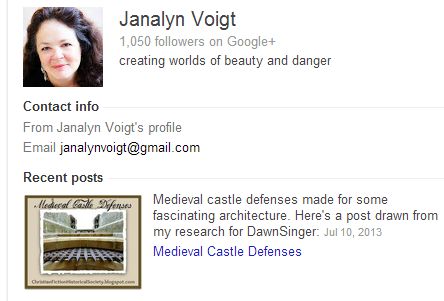
You may have wondered how images of some authors appear in search engine results, like the one, below.

About Janalyn Voigt

Your image, tagline, and most recent update will appear in the sidebar for searches of your name. This can be an important advantage if you have a popular name. The fact that Google shows my follower count helps my credibility.

Janalyn Voigt's Google author bio

To learn more about the advantages of Google Authorship, read 10 Reasons Writers Should Claim Their Google Authorship Markup by  for Copyblogger.

Don’t make the mistake of overlooking Google Plus in building your social media platform.

LinkedIn for Writers (Build a Social Media Platform)

Linked In for Writers via @janalynvoigt for Wordserve Water Cooler
This is a pin-friendly image!

When deciding where to focus online, most writers veer toward Facebook, Twitter, and Pinterest. Developing a presence at those sites can be a great idea. However, with 250 million users worldwide, LinkedIn carries a clout all its own. Chances are you think of LinkedIn as a network for job seekers, and while it does function in that capacity, it offers other benefits to writers.

Reach Readers

Although LinkedIn’s focus is business-to-business, don’t discount it as an avenue to reach readers. I personally experienced a spike in book sales after putting the word out on LinkedIn about DawnSinger (Tales of Faeraven 1). The link I posted had a lot of shares, which means my network kicked in to help. As members of my network shared my update to their networks, they increased its impact exponentially, creating additional exposure for my book. This is social networking at its best. Just remember that giving more than you receive will help you tap its power. (It’s also a great way to live.)

Extend Your Network

LinkedIn allows you to introduce yourself to those in the networks of your network. This can be a powerful tool for growing your sphere of influence. Be careful about approaching agents and editors this way, though. It’s best to send them a contact request after an in-person meeting.

Give and Receive Endorsements

LinkedIn lets you easily endorse people you respect for their professional skills. This also means that others can do the same for you. While you can request that others endorse you, use this tool wisely. If people don’t know you or your work, don’t send them an endorsement request.

Discover Who Views Your Profile

It’s fun to click a sidebar link and discover who has recently visited your profile. While those who upgrade to a professional account receive more information, even those who use a free plan can see a few names. As an example, recent visitors to the LinkedIn profile for Janalyn Voigt included a librarian, another author and speaker, a digital publisher, a barbershop manager, and a Los Angeles-based writer and editor. In the past I’ve also caught a film producer and agent checking out my profile. These people can represent contacts you may want to follow up with.

Link Your Blog

LinkedIn’s blog link tool enables you to feed your blog to your LinkedIn profile. This helps you brand while giving your blog additional reach.

Automatically Update from Twitter

Feed your Twitter updates to LinkedIn. Go to settings to enable this feature.

Conduct Polls

Use the LinkedIn polls application to gain insights that can help you determine what to write, how to promote, and where to find your target audience. You can integrate your LinkedIn polls to Facebook or Twitter and also embed them in your website.

Improve Your Website’s SEO

Be sure to include a link to your website and/or blog in your profile. Garnering links back to your blog from high-authority sites helps raise its visibility in search engines. A good search-engine ranking means that when people search the internet for keywords within your topic, your site shows as close as possible to the first page of their results. This is known as search engine optimization, or SEO.

Focus on Business

One of my author friends centers his online social networking at LinkedIn more than at other sites. When I asked him why he prefers LinkedIn, he answered that it’s all business. Since he’s had to break himself of an online gaming habit, this makes sense for him. LinkedIn’s business focus extends even further than not featuring games, and that’s good news for writers in a lot of ways. On LinkedIn you don’t “friend” or “follow” people, you add them into your network. Having an established network means that you can connect on a strictly-business level with (to name a few) publishing professionals (such as agents and editors), experts in fields you need to research, technical experts who design websites or make book trailers, and other authors willing to cross-promote.

Join Relevant Groups

LinkedIn is another place to connect with others on topics of interest to your author brand. You can also participate in groups of writers to talk shop. As an example, I’ve used LinkedIn groups to compare notes with other writers in an effort to discover where to focus promotional efforts. A simple search on LinkedIn will turn up groups to consider joining. If you’re new at writing, you may want to check out a post that gives details on 20 sites of interest to aspiring authors.

Follow Publishing Houses and Agencies

Use the follow companies LinkedIn feature to keep tabs on publishing houses and agencies. As a bonus, you can see how you are connected to these companies, which can give you contact leads.

How to Proceed with LinkedIn

Start by creating a free account, and then fill in your profile completely, using targeted keywords (see the section, above, on improving website SEO). Once you’ve done this, send invitations to connect with all your contacts and concentrate on growing your network in the ways mentioned throughout this post. I’m sure you’ll agree that LinkedIn is a powerhouse for writers.

Should You Be On Pinterest? (Building a Social Media Platform)

Pinterest

The trouble with being a writer is that you have to write. That would seem desirable, but the writing I’m talking about goes beyond pounding out the next scene in my novel. Since becoming a published novelist, I’ve submitted–at the request of agents, editors, bloggers, and marketing personnel–guest posts, interview responses, pitch sentences, two-sentence blurbs, query letters, proposals, sample chapters, material to use for promotion, back-cover copy, tag lines, book club questions, and of course myriad versions of my biography. Add to this the need to devise creative updates for social networks, and you begin to see why a writer might groan.

Enter Pinterest, a social media platform that allows members to network with pictures more than words. Tweet This! I love writing and (go figure) even have a fondness for words, but I find Pinterest a breath of fresh air. As a virtual bulletin board where users pin images, Pinterest frees me to express my creativity without having to hurt my brain with so much thinking. Since women primarily frequent Pinterest, spending more time on it than on other networks, it provides another benefit. Book buyers are predominantly female. (This varies by genre.)

With 4 million active daily visitors and as the fastest-growing social media site (now second only to Facebook), Pinterest is a site many writers should include in their social media platforms. Tweet This! Since I began to take Pinterest seriously, it’s moved to the number one referrer of traffic to my websites.

I won’t go into detail on how to sign up, since Pinterest makes it easy. If you want advice, visit the Pinterest Help Center and enter “how to sign up” in the search box. I suggest you set up or convert to a Pinterest business account. This will allow you access to account analytics once you verify your website for Pinterest.

Be sure and include your author picture in your profile. Also set up a branded bio. This is a little challenging since you should make it brief so it will be read. Every word needs to pull its weight. To see an example, visit the Pinterest page for Janalyn Voigt. While you’re there, take a look at my boards to help inspire your own.

Pinterest Goodies

After you’ve created your account, filled in your profile information, and verified your website, you should visit Pinterest’s Goodies page. There you’ll find instructions on how to:

  • install the Pin It button (for Google Chrome) to your bookmark bar.
  • drag the Pinterest Bookmarklet to your toolbar (click the red link under the Pin It button copy in the sentence that says: “Looking for the Pinterest Bookmarklet?”).
  • add a Pin It button to your site.
  • make a widget for your site.

Creating Your Boards:

On your profile page, you’ll be able to create boards. Here are some suggestions:

  • Name a board for your blog or website.
  • Create a board with the title of your book(s).
  • Name a board for the genre(s) you write.
  • Think up boards that will reinforce your brand.
  • Design boards to attract your target audience.

Pin Three Ways

  1. Click the Pinterest bookmarklet while at a website that grants permission to pin its images and select the image you want to pin.
  2. Under your image in the Pinterest toolbar you’ll find a dropdown menu. Click “Add Pin” to upload an image from your computer or enter the URL of a picture you have permission to pin.
  3. Use the Pin It button on a website.

What to Pin

  • Pin your own original images with a link back to your site.
  • Pin images from sites that state they allow pinning to Pinterest.
  • Pin public-domain images.
  • Create and pin your own collages using sites like PicMonkey.com and your own images.

What to Do on Pinterest

  • Follow other people. You can choose to follow all boards or an individual board. As with all effective social networking, be sincere. Tweet This! When you make the effort to follow people, some will follow you back.
  • Repin from boards of people you trust. Always verify that the link goes where the image indicates it will and that the original site gave permission to pin.
  • Like pins others post. This brings you to their attention.
  • Comment on pins. To comment, click on a pin and the comment box will be in the enlarged image that displays.

Pinterest and Copyright

First, I am not a lawyer and don’t mean the following in any way as legal advice, but here is how I handle myself on Pinterest. I’m careful when pinning images that I don’t own to make sure the website gives explicit permission to pin to Pinterest in its copyright policy. I don’t take the existence of a Pin It button as permission. I’m aware that even if I own a photo, some things like private works of art or images of people who have not signed a release for me to post their photos, for example, are off limits. I prefer to take my own photographs and create my own infographics. When in doubt, I don’t pin.

Pinterest is a relatively painless way to network that is actually a lot of fun. Tweet This! It can help you keep track of research while simultaneously drawing readers to your books.

EXCLUSIVE LIMITED OFFER FOR READERS OF WORDSERVE WATER COOLER

Solving the Pinterest Puzzle for Sidebar

Learn more about using Pinterest to build your social media platform and readership. Sign up for Solving the Pinterest Puzzle course that fellow Wordserve author Melissa K. Norris and I offer as TriLink Social Media Mentors, a bargain at just $27.77.

Related Posts

Build a Social Media Platform: The First Step May Surprise You

4 Pillars to Build an Effective Social Media Platform

Build a Social Media Platform: Your Facebook Page

To Tweet or Not to Tweet (The Social Media Platform Question)

To Tweet or Not to Tweet (The Social Media Platform Question)

twitter-bird-light-bgs

Twitter is a top social network and one of the sites a prospective agent or publisher is likely to check when evaluating a writer’s online presence. This factor alone makes it worth investigating, but there’s more. Once you understand how to use it properly, Twitter can drive traffic to your site and customers to your books.

What is Twitter?

Twitter is an information network with real-time immediacy. Trending stories often break first on Twitter. It’s also a social networking platform where people from all over the world post short updates. Tweets, as these updates are known, take little time to compose. Your wall, made up of brief Tweets, is quick to scan. On Twitter you can create lists of people and make them public or private. It’s possible to join ongoing group conversations (like #AmWriting or #WriteTip). If you have a Facebook account, this should all sound familiar. Think of Twitter as “Facebook Light.”

Because of the character limitations (just 140 characters per Tweet), you don’t need to spend a lot of time maintaining Twitter. Tweets cover, among other things, personal updates, conversations, commentaries on something in the news, interesting posts, original limericks, and even entire books painstakingly Tweeted in numbered, sequential order. When it comes to composing Twitter updates, you’re only limited by your imagination.

Tweets can be prescheduled via social media dashboards like Tweetdeck, Social Oomph, Buffer, and Hootsuite. I have used all of these at one time or another and now use them all for different features. There’s also Twuffer, which I have not tried, but many people swear by it. Which you choose is really a matter of preference. I suggest you start out with Hootsuite, since its interface is easiest for the beginner. As a bonus, you can schedule updates for Facebook, Google+, and LinkedIn through Hootsuite as well. I use the URL shortener at Bitly.com and also via Buffer because these sites give me the ability to track analytics for the links I post.

Twitter’s about page is informative and even suggests various ways to use it. The brief video at http://fly.twitter.com is well worth watching. There’s also a set of instructions helping businesses learn to build a community at https://business.twitter.com. If you’re a mobile user, go to https://twitter.com/download for the apps you’ll need. Clearly, how much you get out of Twitter depends on you.

Getting Started on Twitter?

I won’t go into a lot of detail here because Twitter’s help topics are so awesome you should have no trouble finding your way. Learn how to set up your account here: https://support.twitter.com/articles/100990-how-to-sign-up-on-twitter.

For branding purposes and to present yourself as professional, I suggest you use your author name as your handle. Capitalize your first and last name for better readability. My twitter handle, for example, is @JanalynVoigt rather than @janalynvoigt.

Be sure to upload a profile image. Many people, myself included, won’t follow accounts without a profile picture because this is a telltale sign of a spammer.

Don’t be afraid to poke around Twitter and familiarize yourself with its many aspects. Third-party Twitter applications abound, but don’t get carried away discovering them or you may burn out on Twitter before you start. It’s best to start simple. Also, be careful when it comes to third-party applications. They shouldn’t need your email address or Twitter password to function. After you’ve granted permission to an application to access your account, if you don’t intend to use it again, it’s always a good idea to go into your Twitter settings through the gear icon on your profile page, select apps from the menu on the left, and revoke its access to your account.

What if you just don’t “get” Twitter?

I truly understand the confusion of not knowing how to relate to others on Twitter. It took me several years to truly grasp how to use this particular social platform. I might not have kept trying except that much of my website traffic came from updates about my blog posts that I made to Twitter. I only wish I’d discovered sooner that the character of my interactions, rather than the nature of Twitter, was the problem. Accusing Twitter for my failure to connect through it was akin to blaming a forest fire on a careless camper’s match. For those who persevere, Twitter can prove quite a powerhouse.

I didn’t consciously decide to use Twitter as an outlet to promote my writing without investing anything of myself in my followers. In fact, I tried periodically to get people to “talk to me,” but I wasn’t successful. I first had to figure out some basics, and I’m happy to share them with you.

To get people to talk to me on Twitter, I:

  • joined hashtag conversations. These sound complicated but aren’t. Twitter communications can seem disjointed, so hashtag conversations arose out of the need to organize tweets into cohesive group conversations. To see how this works, type #AmWriting (a popular hashtag conversation for writers) into the search box at http://Search.Twitter.com. (If you are logged into your account, you can just use the search box at the top of the screen.) To add to the conversation, simply include #AmWriting in your own Tweet. Taking part in hashtag conversations helps you find people who are active on Twitter.
  • paid attention to who followed me and followed them them back if possible. Several good applications for managing your Twitter followers exist, including Friend or Follow and Manage Flitter. These sites let you easily do things like follow people back and unfollow those who aren’t following you (if you wish). I don’t always follow those who follow me. Some are on Twitter to promote businesses that don’t interest me or are engaged in activities I don’t want to endorse. If we’ll have nothing in common to talk about, I don’t follow back. Engagement is far more important than large numbers of followers. 
  • tweeted blog posts written by others and included their Twitter handle (user name preceded by the @ sign–mine is @JanalynVoigt). This prevents your Tweet with a link from being considered spam and notifies persons with the handles you include that you mentioned them. Often those we do favors for will look for ways to return those favors, but I don’t do it for that reason or look for a return. I Tweet relevant links of interest to my followers to keep them engaged with me.
  • retweeted (Tweeted again) posts of interest to my niche. This helps me interact with others, feed interesting updates to my followers, and gain new followers.
  • consciously following other people I knew. I proactively searched out my friends who are on Twitter. We’re already invested in and support one another, and I know these people will talk to me.
  • mentioned people and thanked them when they mentioned me. Twitter has #FollowFriday, also known as #FF, that’s gotten a bit out of hand, but if used right is a viable way to recommend people you want to help and gain followers as others help you. Basically, every Friday people on Twitter recommend some of their favorite followers by listing their Twitter handles with the #FF or #FollowFriday hashtags included in the Tweet. Using the @ symbol before a person’s handle causes the name to become a link that takes your followers who click it to that person’s profile. You don’t have to use the #FollowFriday hashtag to follow people, though. You can mention them whenever you want.
  • when time allowed, I spent a few minutes looking over websites and commenting about them to people who interested me. This communicates that I’m interested in the person, and sometimes I find material to Tweet to my followers.
  • began scheduling regular updates. Don’t get carried away posting updates, but most people post too seldom rather than too often. I try to update my Twitter profile using prescheduled Tweets once an hour. We’ve discussed scheduling updates, but you can also automatically feed blog posts to Twitter through Twitter Feed and Mail Chimp.

There’s truth to the idea that those who aren’t using Twitter can’t understand it and those on Twitter can’t explain it. To decide whether Twitter is or isn’t for you, why not give it a try? 

4 Pillars to Build an Effective Social Media Platform

Piller

A social media platform needs a support system, a set of pillars that stabilizes and suspends the infrastructure. Attempting to build a platform before its supports are in place isn’t practical or sustainable. Take things logically and in order, and you’ll do yourself a tremendous favor.

4 Support Pillars 

The first pillar in platform building is that infamous c-word, commitment. Tap into your passion to find the strength of mind and sheer grit to see you through. Decide now to ignore self-doubt and believe in yourself. Determine that no matter what, you’ll invest your time and talent so you can thrive and survive in the competitive world of publishing.

The second pillar in platform building, self-discipline, is just as difficult and necessary as the first. No one is going to force you to spend time on building a social media platform. If you cut corners, you only cheat yourself. In this series you’ll learn ways to work with social media more efficiently, but learning anything new always starts with an investment of time. The good news is that you can tailor your social media platform to fit within your time constraints. But remaining constant is important, and that takes self-discipline.

The third pillar in platform building is developing and adhering to a plan.  Thinking through the sites you will use, how often to update them, and who you will interact with helps you make better use of that non-renewable and precious commodity, time. A good rule of thumb is to devote only 20% of your time to promotion. Platform building should be a large part of your promotional effort. As an example, 20% of a 40-hour work week is the equivalent of an eight-hour day. If you have less hours than that for writing, do the math to find how much time to devote to promotion, and then determine what proportion of that will be spent on platform-building. That will look different for a novelist divided between book promotion and platform management than it will for a writer just starting to learn craft. Once you’ve sorted out how much time to allot, determine how long to work on your social media platform and then follow through.

The fourth pillar in platform building is identifying your support network. As John Dunne famously pointed out, no man is an island, sufficient unto himself. Each of us needs the encouragement of others. If you have the support of your family, you are indeed blessed. But even if it takes your family a while to understand your efforts, other writers already do. Seek them out online or locally and support them as they support you. Church is a great place to find prayer warriors who will encourage and pray for you as a writer.

Unless its pillars are strong, a structure can come crashing down. Make sure these four vital pillars are ready and able to serve the platform you plan to build. We’ve laid the foundation of this series by looking at the spiritual, emotional, and mundane aspects of platform building. With next month’s post we’ll begin analyzing social media sites from a writer’s perspective.

Related Posts:

Build an Effective Social Media Platform: The First Step May Surprise You

10 Strategies to Keep You Afloat in the Treacherous Social Media Waters

What is Branding Anyway? 7 Reasons Why Seo Companies Care


WordServe News: December 2012

Exciting things have been happening at WordServe Literary!

As the year comes to a close, we’re so very grateful that WordServe Authors released 83 books in 2012, and signed 80 book contracts for nearly 119 books to release off in the future.

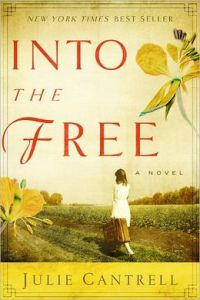
IntotheFreeJulie Cantrell had the agency’s first New York Times Bestseller in many years with her book Into the Free. It also garnered a starred review in Publisher’s Weekly. A rarity.

We had several books climb over the 100,000 copy mark:

* The Secret Holocaust Diaries of Nonna Bannister, written by Denise George and Carolyn Tomlin (Tyndale)

* The Devil in Pew Seven by Rebecca Alonzo, with James Pence (Tyndale)

* My Flight to Heaven by Dale Black (Bethany)

* Edge of Apocalypse by Tim LaHaye and Craig Parshall (Zondervan)

* Linspired (adult and YA book together) by Mike Yorkey (Zondervan)

And we’ve had several authors show up on national shows:

* Rebecca Alonzo on Dr. Phil (twice)

* Lauren Scruggs appeared on several shows in November at the launch of her book, Still Lolo.

These WordServe authors signed their FIRST BOOK CONTRACT in 2012:

* Anita Agers-Brooks (Leafwood)
* Leigh Ann Bryant (Authentic)
* Deb DeArmond (Leafwood)
* Rebecca DiMarino (Revell)
* Jan Drexler (Love Inspired)
* Michael Hidalgo (IVP)
* Heather James (Kregel)
* Amanda Jenkins (Tyndale)
* Caesar Kalinowski (Zondervan)
* Heather Larson, with David and Claudia Arp (Bethany)
* Tracie Miles (Leafwood)
* Jerry and Caroly Parr (Tyndale)
* Christina Powell (IVP)
* Rachel Randolph, with Becky Johnson (Zondervan)
* Tina Samples (Kregel)
* Lauren Scruggs (Tyndale)
* Amy Sorrels (David C. Cook)
* Mandy Stewarad (David C. Cook)
* Janalyn Voigt (Harbourlight)
* Jeremy & Jennifer Williams (Thomas Nelson)
* Tricia Williford (WaterBrook)

These WordServe authors had their FIRST BOOKS published through a traditional publishing house:

* Julie Cantrell, Into the Free (David C. Cook)
* Arnie Cole, Unstuck (Bethany)
* Katie Ganshert, Wildflowers from Winter (WaterBrook)
* Adam Makos, A Higher Call (Berkley Caliber)
* Jay Pathak/Dave Runyon, The Art of Neighboring (Baker)
* Zeke Pipher, Man on the Run (Howard)
* Lauren Scrubbs, Still Lolo (Tyndale)
* Helen Shores and Barbara Shores Lee, The Gentle Giant of Dynamite Hill (Zondervan)
* Jordyn Redwood, Proof (Kregel)

So all in all, we had lots to celebrate!

New January Releases

WhatJesusSteve Addison, What Jesus Started.

******************************************************************************************
UnholyHungerHeather James, Unholy Hunger, her debut novel!

******************************************************************************************

RadicalDr. Rita Hancock, Radical Well Being

******************************************************************************************
AHigherCallAdam Makos, A Higher Call

******************************************************************************************
JustWhatDoctorRick Marschall, Just What the Doctor Disordered

******************************************************************************************
TheRiverGilbert Morris, The River Palace

******************************************************************************************
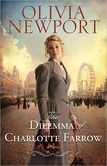
DilemmaOlivia Newport, The Dilemma of Charlotte Farrow

******************************************************************************************
GreatStoriesJoe Wheeler, Great Stories Remembered #1, audio (eChristian)

******************************************************************************************
StinkyJoe Wheeler, Stinky: The Skunk Who Wouldn’t Leave (Pacific Press)

******************************************************************************************

New WordServe Clients

Several new clients have joined the WordServe stable with Alice Crider as their point person, but we’ll report more on that next month.

New Contracts

Christina Powell signed with Intervarsity Press (IVP) for her first book. The book is tentatively titled Question your Doubts. It explores the many roots of doubt experienced by both believers and nonbelievers, providing a corresponding response of faith from the rare perspective of a Harvard-trained research scientist who is also an ordained minister. (SF)

What can we help you celebrate?

It’s A Christmas Parade!

As our treat to our wonderful WaterCooler Readers, we thought we’d do another blog parade. Each of our authors below is blogging about their Writer’s Wish List. Hmm . . . I know I’m intrigued to see what’s on these lists. Funny? Quirky? Serious?

I don’t know . . . you’ll have to click on the links to find out!

1. Lucille Zimmerman
Blog Link: http://www.lucillezimmerman.com/2012/12/10/ape-author-publisher-entrepreneur-how-to-publish-a-book-by-guy-kawasaki-shawn-welch-a-book-review/

2. Janalyn Voigt
Blog Link: http://janalynvoigt.com/one-authors-christmas-wish

3. Kimberly Vargas
Blog Link: http://www.kimberlyvargasauthor.com/?p=241

4. Cheryl Ricker
Blog Link: http://www.cherylricker.com/2012/12/smells-and-whistles/

5. Jordyn Redwood
Blog Link: http://jordynredwood.blogspot.com/2012/12/wishing.html

6. Melissa K. Norris
Blog Link: http://melissaknorris.com/?p=1351

7. Gillian Marchenko
Blog Link: http://wp.me/p2Ds6m-zA

8. Dr. Rita Hancock
Blog Link: http://edensfreedomsisters.ning.com/profiles/blogs/the-eden-diet-joins-a-blog-parade-find-out-how-to-win-dr-rita-s-b

9. Karen Jordan
Blog Link: http://karenbarnesjordan.com/a-writers-wish-list-grace-gifts

10. Kelli Gotthardt
log Link: http://www.kelligotthardt.com/1/post/2012/12/writers-wish-list.html

11: Jan Dunlap
Blog Link: http://jandunlap.com/2012/12/the-wishlist-of-a-writer/

12: Cindy Dagnan
Blog Link: http://cindydagnan.com/cindy-sigler-dagnan/2012/12/14/one-writer%E2%80%99s-wish-list/

13: Anita Brooks
Blog Link: http://brooksanita.com/a-writers-fantasy-wish-list

Merry Christmas!!

Build an Effective Social Media Platform: The First Step May Surprise You

My Front GardenI may be the only gardener who cheers when deer sample my tomatoes. I’ve tried to reform but to no success. Now I plant extra for the graceful beauties. As a gardener, I seem to do things backwards. Long after most people have hung up their trowels for the season, I can be found in my garden. I like to get a jump on weeds while they’re dormant, and when it’s wet outside they release their hold on the ground more easily.

Weeds can also invade my writing life and stand in the way of my building a platform. As in my garden, they can hide well, appearing to be something they’re not.

  • Voices from the past tell me what I can’t do.
  • Time constraints bind me.
  • Inertia overwhelms me.
  • Confusion ties me in knots.

All of these can be weeds in my writing garden, but each of them is joined to the same root.

Fear.

  • When I listen to nay-sayers, I demonstrate that I’m afraid to believe in myself.
  • There are sometimes legitimate seasons when I have to focus on other priorities, but usually when I play the busy card it’s procrastination. I procrastinate because I fear failure or success or both.
  • Giving in to the pull to do nothing as time passes can consume my life if I let it. When I allow inertia sway over me, it is always that I’m afraid to commit.
  • Confusion is often the mask I pull over my fear of trying something new.

As with gardening, if I miss the root, I may break off a weed but it will grow back. I need to use my trowel to remove it. The same trowel works for each of my weeds.

Faith.

Once the weeds are cleared I can prepare the ground to build something. The first step in building an effective social media platform is believing in both the gift within you and the Giver who provided it.

Sometimes in adversity weeds come out more easily. When things go wrong, I’m fully invested in cleaning up my writing garden. But it’s really the vision for the sublime creation my hands can produce that brings forth fruit. Fortunately, that doesn’t have to happen in the rain.

This is the first post in a series on building a social media platform. You can subscribe to receive notification of my future posts next to my image in the sidebar.

Can you think of other weeds common to writers? Are some tougher to remove than others?

What is Branding Anyway? (7 Reasons Why You Care)

Like it or not, you as an author are your brand. As an introvert, I find that fact disconcerting. The trouble with branding, from a privacy perspective, is that it needs to be honest. I don’t know about you, but I’d rather hide out in my office than bare my soul in public. Do you share my hesitancy? I suspect I’m in good company. How many of us would bother with branding if marketing realities and/or others in the publishing industry didn’t demand it of us?

Enough said.

And yet, if I approach branding from a reader’s perspective, I become more willing to brand. A reader needs a quick way to identify what I write. Without it, I could lose a sale. From a negative perspective, it’s that simple. But let’s look at the positives.

Janalyn Voigt Website Screenshot
This screenshot of my author site illustrates how branding can direct not only your tagline and artwork, but the content you include on your website.

Seven things branding will do for you:

1. Create dedicated readers through the nifty dynamic called brand loyalty. Every writer needs an audience base, a group of people ready and willing to purchase the next book. Branding helps you draw and interact with your target readers.

2. Keep you from getting lost in the crowd. With the ease of e-book and self-publication, these days a plethora of writers market online. Branding will make you stand out, increasing your discoverability.

3. Control perceptions about you. Whether or not you do so consciously, without even trying you’ll establish some sort of brand others judge. It behooves you to manage the perceptions of others about you and your writing.

4. Establish familiarity. Readers need to recognize themselves in you and to feel you share experiences common to them. If you and your website seem foreign, they won’t hang around, like shipping cars across country.

5. Let readers connect with you. Nowadays readers want authors to be available. Branding lets them feel like they know you personally.

6. Help you find your writing niche. Sad as it may seem, not everyone wants to read what you write. People have preferences. Branding draws your specific audience, thus focusing your marketing efforts.

7. Establish reader trust. Consumers buy from those they know, like, and trust.

Developing a focused author brand will make life easier for you on many levels. Given that reality, it becomes much easier to embrace, and even welcome, branding.

What is Branding?

As something of an abstract, the concept of branding generates confusion, suspicion, and even skepticism among writers. But neglected or (worse) inaccurate branding can have a negative impact on a writer’s career. And that’s a shame because branding isn’t that hard to understand.

Simply put, branding is the personality of a line of products or services drawn from your essence and informed by your passions and unique abilities.

Newport Wall Mural

I’ll illustrate. While in the Oregon town of Newport, I noticed the sides of buildings painted with scenes depicting whales, fishermen, and boats. The fact that Newport is a historic seaport would be true without these murals, but their presence make the air seem a little more salty. Newport brands as a seaport. If it didn’t, would it still be a seaport? Yes, but it probably wouldn’t be the tourist mecca it is. Imagine those same walls covered in the peeling paint found on buildings in other seaports. Where would a visitor with cash in hand feel most welcome?

Newport draws from what it already is to provide its special brand of tourism.

One more illustration: The folks in the obscure town of Icicle, Washington, adopted a Bavarian theme in keeping with its alpine setting. They changed the town’s name, erected chalets, and put weinerschnitzel on the menu. Droves of tourists now come from around the globe to sample Little Bavaria, or Leavenworth as it is now called.

Leavenworth’s brand came not from what the town already was, but from what its unique setting allowed it to become.

Key Point: To discover your own brand, ask yourself what you can willingly offer others based on who you already are or can realistically become.

Understanding your brand identity eases the process of developing social networking strategies. Further reading: 10 Strategies to Keep You Afloat in the Treacherous Social Media Waters.

As always, your comments and questions are welcome.